
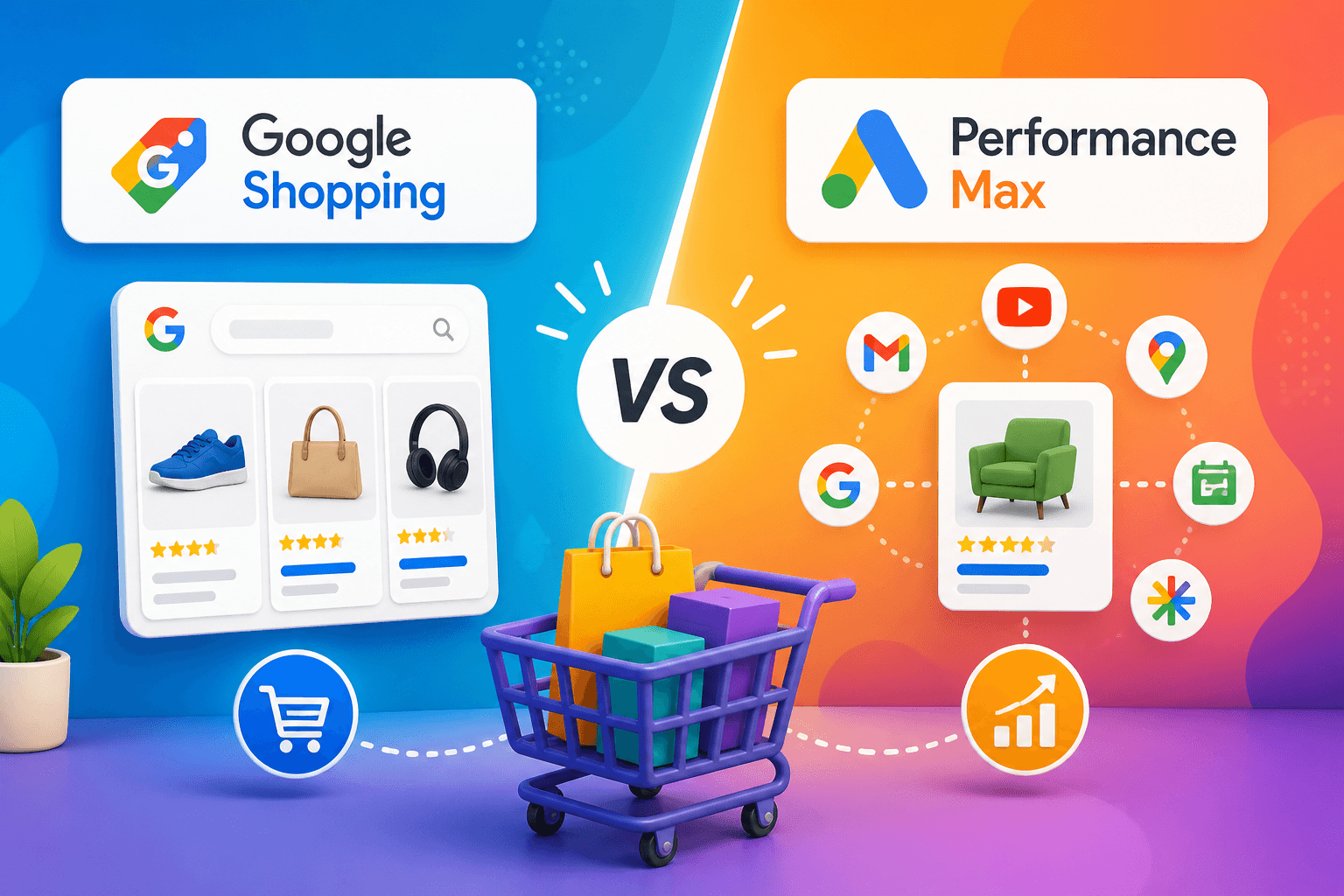
Google Shopping vs. Performance Max for eCommerce: How to Choose in 2026
Last updated: 5 May 2026 · 10 min read · For eCommerce stores spending $1k–$50k+/month on Google Ads
If you've spent any time in your Google Ads account in the last twelve months, you've probably been nudged toward Performance Max — by Google's UI, by your account rep, by the auto-recommendations that quietly suggest you migrate everything. The pitch is consistent: more reach, less work, better results. The reality is more complicated.
Performance Max can scale faster than Google Shopping. It can also burn budget faster, hide what's working, cannibalise your branded traffic, and lock you into a black box you can't tune. Whether it's right for your store depends on factors most comparison articles skip — your conversion data quality, your product feed health, your account's maturity, and how much control you're willing to trade for automation.
This article is the honest version of the comparison. We'll cover what each campaign type actually does well, where each one fails, when to use which, and the hybrid strategy most successful eCommerce accounts settle into. Written for store owners and performance marketers spending real money — not for Google's marketing team.
The short version (TL;DR)
- Performance Max isn't always better. It's better in specific situations — strong conversion data, mature accounts, scale ambitions — and worse in others.
- Google Shopping (Standard Shopping) gives you control: search-term visibility, manual bidding levers, transparent product-level performance. The data layer is what most accounts need before automation can work.
- Performance Max gives you scale: cross-channel reach (Search, Shopping, Display, YouTube, Gmail, Discover) and AI-driven optimisation — but at the cost of visibility and granular control.
- The hybrid strategy is what wins. Use Standard Shopping to test products, find efficient keywords, and protect margin; use PMax to scale proven winners. Most successful eCommerce accounts run both.
- Recommended starting split: 60–70% PMax, 30–40% Standard Shopping for established accounts. Reverse it for newer accounts (heavier Shopping until conversion data matures).
- PMax fails when launched too early. Without solid conversion tracking, a clean product feed, and 30+ recent conversions feeding the algorithm, PMax wastes budget at scale.
- The single biggest performance lever isn't your campaign type. It's your product feed. A great PMax account on a broken feed is still a broken account.
If your product pages aren't yet optimised, the best Google Ads strategy in the world won't fix the conversion problem on the page they land on. Start with our companion guide — Product Page SEO 2026: The Complete Checklist for Shopify & WooCommerce Stores — then come back to this one.
Quick definitions (skip if you already know)
Before the comparison makes sense, the two terms need to be precise. Most articles get this slightly wrong, which sets the rest of the analysis off-course.
Google Shopping (Standard Shopping)
What it is: A campaign type that shows your products as visual listings (image + price + store name) in Google search results, the Shopping tab, and Google Images. Driven by your product feed in Google Merchant Center.
Where it shows: Search results (top of page or shopping carousel), Shopping tab, Google Images. That's it.
How it's controlled: You set bids manually or with smart bidding strategies (Target ROAS, Maximise Conversion Value). You see search terms. You can exclude keywords. You can structure campaigns by product category, brand, margin tier, or any segmentation that makes sense.
Status in 2026: Standard Shopping campaigns still exist and are still useful, despite Google steadily de-emphasising them in the UI. Don't let interface design make your strategic choices.
Performance Max (PMax)
What it is: Performance Max is a unified, AI-driven campaign type that combines Search, Shopping, Display, YouTube, Gmail, Discover, and Maps inventory into a single campaign. You provide creative assets and a product feed; Google's algorithm decides where, when, and to whom to show ads.
Where it shows: Everywhere Google sells ads — Search, Shopping carousels, Display, YouTube pre-roll, Gmail, Discover, Maps, partner sites.
How it's controlled: Asset groups (creative bundles), audience signals (hints, not targeting), conversion goals, budget. You don't see search terms by default. You don't choose placements. You can't break performance down by individual channel cleanly.
Status in 2026: Google's flagship eCommerce campaign type and the one their reps recommend by default. The recommendation is sometimes right and sometimes premature.
The core differences (the comparison that matters)
This is where most articles get vague. Here's the honest breakdown across four dimensions that actually affect performance.
Control
| Google Shopping | Performance Max | |
|---|---|---|
| Level | High control | Limited control |
| What you control | Bids (manual or smart) · negative keywords · geo · device · schedule · product groups by attributes | Budget · conversion goal · geo · asset groups · audience signals (hints) |
| What you don't | — | Channel mix · specific placements · search query targeting (mostly) · audience expansion · asset rotation |
| Best when | Precision matters more than reach | Scale matters more than precision |
Automation level
| Google Shopping | Performance Max | |
|---|---|---|
| Style | Manual or semi-automated — smart bidding layers AI onto your structure | Fully automated — algorithm decides almost everything |
| Strengths | You set the rules; AI works within your structure; easier to diagnose problems | Less hands-on time; cross-channel optimisation; scales without rebuilding |
| Bias risk | Low — the campaign does what you tell it | Real — PMax can overspend on branded search, low-margin products, or remarketing without you seeing it |
Data transparency
| Google Shopping | Performance Max | |
|---|---|---|
| Visibility | Clear & granular | Heavily obscured |
| You can see | Search terms · performance by product/group/brand · auction insights · CPC per query | Asset group performance (high level) · conversions · ROAS · audience signals |
| What's hidden | — | Full search terms · clean channel-level breakdown · specific placements driving conversions |
Reach
| Google Shopping | Performance Max | |
|---|---|---|
| Surfaces | Search · Shopping tab · Google Images | Search + Shopping plus YouTube, Display, Gmail, Discover, Maps |
| Audience | High-intent shoppers actively searching | Search + browsing + colder prospects |
| Trade-off | Narrower funnel, warmer traffic | Wider funnel, mixed traffic quality |
The honest summary
Standard Shopping is a precision instrument. It's slower to scale, but it shows you exactly what's working and lets you tune efficiency. Performance Max is a scale instrument. It moves faster but tells you less, and the cost of not knowing is real money on bad placements. For Australian retail context — why ecommerce competition keeps intensifying — the ABS retail trade overview is a useful independent backdrop.
Most stores that fail with PMax fail because they expected automation to compensate for missing fundamentals. PMax doesn't fix bad data, broken feeds, or weak conversion tracking — it amplifies them.
Performance reality (what actually happens)
Both campaign types can win. The variables that decide which one wins for your account are usually the ones least discussed in marketing comparisons.
PMax can scale faster
In accounts with strong existing data — clean conversion tracking, 50+ recent conversions, a well-built product feed — PMax can absorb significant new budget while maintaining ROAS that Standard Shopping would struggle to match at the same volume. The cross-channel reach genuinely captures incremental conversions you'd otherwise miss.
This is the case Google's reps make, and it's true — under those conditions.
Shopping can be more efficient
In accounts with thin conversion data, products that need search-query precision, or tight margins where every dollar of waste matters, Standard Shopping consistently outperforms PMax on cost-per-acquisition. Visibility into search terms alone often reveals 20–30% of spend going to queries that should be excluded — exclusions PMax doesn't reliably honour.
Three things that decide which one wins for your account
-
Data quality (conversion tracking) — Incomplete pixel firing, no offline conversions, no enhanced conversions → PMax optimises toward the wrong signals.
-
Product feed quality — Missing GTINs, weak titles, poor images, stale availability hurts PMax more than Standard Shopping. The feed is the engine.
-
Account maturity — New accounts with little history force the algorithm to guess for 4–6 weeks. Mature accounts with 90+ days of clean data produce different outcomes for the same campaign type.
When to use each (decision logic)
There's no universal right answer. There's a right answer for your account, given its current state.
Use Standard Shopping if any of these are true
- You're testing new products — you need query-level learning before scaling.
- Monthly Google Ads budget is under $3,000 — PMax often lacks volume to optimise efficiently.
- You need granular control — SKUs to push/pause, geo, dayparting, aggressive negatives.
- Conversion tracking is patchy — Shopping is more forgiving when humans stay in the loop.
- You're recovering from poor performance — you can't fix what PMax hides.
- Margins are tight — transparency cuts waste; PMax can hide it.
Use Performance Max if all of these are true
- Strong conversion data — 90+ days, 50+ conversions/month minimum; enhanced conversions + offline data ideally.
- Clean, complete feed — attributes, GTINs, daily refresh, strong imagery.
- You want to scale, not just maintain — PMax's value is in the ceiling.
- Creative assets ready — multiple images, 15–30s video where possible, text variants.
- You can accept reduced visibility — fair trade for scale, or it isn't.
Use both (what most accounts actually need)
If you're comparing Standard Shopping against Performance Max in the same account, Google's Performance Max vs Standard Shopping experiments documentation describes how to run a fair uplift test rather than guessing from blended data.
Most successful eCommerce accounts at $5,000+/month don't choose — they run both, deliberately. See The hybrid strategy below.
The hybrid strategy (what most successful accounts actually do)
The right answer isn't choosing — it's structuring both campaign types so each does what it's best at, without cannibalisation.
The structural principle
Standard Shopping for testing and efficiency. Performance Max for scaling proven winners.
How it works in practice
Layer 1: Standard Shopping — full inventory or priority SKUs, manual or Target ROAS, aggressive search-term review. Discover what converts, which queries pay, which categories deserve budget. Protect tight-margin lines.
Layer 2: Performance Max — once Shopping proves winners (typically 30+ conversions per SKU over 90 days), promote those SKUs into PMax via product groupings. Don't dump the whole catalogue into PMax on day one.
Layer 3: Strategic exclusions
- Mutual SKU exclusions — if a SKU is in PMax's inventory scope, exclude it from Standard Shopping (or vice versa). Otherwise they bid against each other and inflate CPCs.
- Brand exclusions on PMax — use account-level brand lists so branded queries route to a cheap Brand Search campaign, not expensive PMax.
Why this structure works
- Discovery stays cheap (Shopping).
- Scaling has headroom (PMax).
- Margins stay protected where precision matters.
- You keep visibility on the foundation even when PMax grows.
Budget allocation (recommended starting point)
| Account profile | PMax % | Standard Shopping % | Notes |
|---|---|---|---|
| Established, scaling ($10k+/mo) | 60–70 | 30–40 | Default hybrid |
| Mature, optimising for margin | 50 | 50 | Shopping bigger role |
| Newer ($3k–$10k/mo) | 30–40 | 60–70 | Build data before automating |
| Smaller (under $3k/mo) | 0–20 | 80–100 | Shopping-first or Shopping-only |
| Recovery / poor performance | 20–30 | 70–80 | Diagnostics first; re-evaluate ~60 days |
How to test new spend
Lift one campaign's budget 25–30%, hold others flat 2–3 weeks. Watch ROAS and revenue. If efficiency holds, that channel can absorb more; if ROAS collapses, try the other channel.
Common mistakes (the patterns we see every week)
-
Launching PMax without conversion data — Under 30 conversions / 30 days: run Shopping until 30–50+ recent conversions, then layer PMax.
-
Poor product feed quality — Missing GTINs, generic titles, thin attributes, weak images, stale stock. Fix the feed first.
-
No negative keyword strategy — Shopping without negatives wastes 20–40% on junk queries; PMax makes bad queries harder to find — build negatives anyway (account/campaign-level workarounds).
-
Bare-minimum PMax creative — PMax is creative-driven. Run diverse asset groups: 8–15 images, video, multiple headline/description variants.
-
Letting PMax cannibalise brand — Exclude brand via account-level brand lists; run Brand Search separately at lower CPC.
-
Overlapping inventory — Same SKU in Shopping and PMax without exclusions → auction conflict and higher costs.
-
Set-and-forget PMax — Review asset groups weekly, refresh creative monthly, audit Insights quarterly.
2026 trends worth knowing about
-
Google's automation push — Standard Shopping is buried, not dead. Don't let UI nudges replace strategy.
-
Reduced visibility is the trend — Less search-term data platform-wide. Architecture (Shopping + exclusions + brand split) matters more than ever.
-
AI rewards fundamentals — Enhanced conversions, offline uploads, clean Merchant Center data. Invest in data infrastructure before campaign tinkering.
The implication for your strategy
Invest in conversion tracking, product feed, enhanced conversions, and CRM/offline uploads before obsessing over campaign type. The campaign type matters less than what's feeding the algorithm.
The decision framework
Quick decision logic
- Budget under $3,000/mo: Standard Shopping only (or minimal PMax).
- New account (<90 days, <30 conv/mo): Shopping-primary; small PMax test (20–30%) only once data exists.
- Strong data + clean feed + scale goals: Hybrid — Shopping tests / margin SKUs; PMax scales winners with exclusions.
- Recovery or need control: Lean Shopping.
- Tight margins: Shopping leads; PMax only on SKUs that absorb higher CPA.
- $10k+/mo, healthy fundamentals: 60–70% PMax / 30–40% Shopping as a starting split; adjust quarterly.
The single test that matters
Pull last 90 days: conversion count, tracking completeness, feed coverage. If all three are healthy, PMax is a real option. If any is weak, fix before migrating.
How this plays out: a hybrid restructure
Pattern snapshot: Australian Shopify store, ~250 SKUs, women's activewear. Starting point: PMax-only, full catalogue, ~$18k/mo, no Shopping, no brand exclusions, partial tracking. ROAS had drifted down over six months with limited diagnostic visibility.
Over ~4 weeks: Enhanced conversions + offline order data + pixel fixes · Merchant Center feed audit (titles, GTINs, attributes, images) · brand exclusions on PMax + dedicated Brand Search (~5% budget) · Standard Shopping on best-performing SKU set · PMax on a tight product group of proven scalers · mutual exclusions · rebalance to roughly 65% PMax / 30% Shopping / 5% brand.
Typical outcomes (varies by account): ROAS recovery trajectory · Shopping search terms surfacing wasted query spend · brand traffic repriced cheaper via Search · clearer product-level bleeders to exclude or resegment · improved efficiency at similar total spend when fundamentals + structure align.
For broader paid and organic eCommerce work, see eCommerce case studies and our Google Ads and eCommerce SEO services — plus strong feed hygiene as covered in product page SEO (Merchant Center overlap).
Frequently asked questions
Is Performance Max better than Google Shopping?
Neither is universally better. See When to use each and hybrid strategy.
Can I run Google Shopping and Performance Max at the same time?
Yes — with mutual SKU exclusions and brand exclusions on PMax. Otherwise they inflate costs.
How much should I spend on Performance Max?
See Budget allocation. Always exclude brand from PMax.
Why is my Performance Max campaign performing badly?
Usually: thin conversion data · weak feed · brand cannibalisation · weak creatives · neglected optimisation.
Should I migrate all Shopping to Performance Max?
No — for most accounts, hybrid beats full migration. Shopping preserves diagnostics and control.
How long does Performance Max take to optimise?
Often 4–6 weeks to stabilise; faster with strong account history, slower or worse with weak data.
Can I see search terms in Performance Max?
Limited insights only — not full query reports like Standard Shopping. Another reason to keep Shopping.
What's the difference between Shopping ads and Performance Max ads?
Shopping is feed-driven listings on Search, Shopping tab, and Images. PMax adds Search + Shopping + Display + YouTube + Gmail + Discover + Maps with creatives + automation.
Should I add brand keywords to Performance Max?
No — exclude brand. Run brand through Search at lower CPC.
Where to go from here
If you're running PMax-only
- Audit conversion tracking (enhanced conversions, offline, consistency).
- Audit Merchant Center feed — warnings, GTINs, titles, images.
- Launch Standard Shopping on top 30–50 SKUs (by revenue); gather search terms ~2 weeks.
- Add brand exclusions + Brand Search if missing.
- After ~4 weeks, refine PMax product groups, negatives, and creatives using Shopping insights.
If you're Shopping-only and considering PMax
- Confirm 30–50+ conversions / 30 days (ideally).
- Fix feed to PMax-grade quality.
- Prepare creatives (images + video + copy).
- Launch small PMax (20–30% budget) on proven SKUs only, with exclusions.
- Measure ~6 weeks; rebalance budget.
If you'd prefer a hand
PMGS works with Australian eCommerce stores on Google Ads structure, audits, and hybrid setups across Shopify, WooCommerce, and custom stacks. Learn more about eCommerce solutions, Google Ads, and contact us for an account conversation.
Or read on:
- Product Page SEO 2026 — landing page quality for paid traffic
- eCommerce SEO — organic product and category visibility
- Conversion rate optimisation
- Shopify development · WooCommerce development
- eCommerce solutions hub
Sources and further reading
- Google Ads Help — About Performance Max campaigns
- Google Ads Help — Performance Max uplift experiments vs Standard/Shopping campaigns
- Google Ads Help — Shopping campaigns
- Google Merchant Center — Product data specification
- Google Ads Help — Enhanced conversions for web
- Industry commentary — Optmyzr, Adthena, Search Engine Land (PMax performance and transparency debates — verify against your own account data)
Disclaimer: This guide provides general implementation guidance for Australian eCommerce stores running Google Ads and is current as of May 2026. Results vary by niche, competition, account history, and execution. Platform features and policies change — verify current Google Ads documentation before implementing tactics. Not a substitute for advice tailored to your account.
Reading time: ~10 minutes · Last updated: 5 May 2026
Author

Gayan Perera
Gayan Perera, Senior Digital Marketing Specialist at PMGS Digital since 2010. With a bachelor's degree in online systems, Gayan specialises in Online Systems, Web Development, Google Analytics, SEO, Google Ads, Social Ads and CRM Integrations. In addition to those, Gayan enjoys creating videos and content to educate people about those areas.