
Last updated: 19 November 2026
Quick answer: Google now shows ads inside Google AI Mode and AI Overviews in Australia. If you already run Search, Shopping or Performance Max campaigns, your ads may be eligible to appear there today, with no new campaign or budget. You can't opt out of these placements separately. This month, check your search terms, negative keywords, conversion tracking and landing pages so any new clicks are worth paying for.
This guide is for Australian business owners who already run Google Ads, or are about to. It sticks to what Google publishes about ads in AI Mode, checked on 19 November 2026, and what to look at in your own account.
What Google announced on 28 October 2026
On 28 October 2026, Google announced it is "scaling ads in AI Mode" in Australia and nine other countries. AI Mode is the conversational part of Google Search, where people can ask longer questions, compare options and ask follow-ups.
The announcement came in a Google Ads & Commerce blog post, Ads in AI Mode expand to new markets, by Shashi Thakur, Google's VP and GM of Search Ads and Ads on Google Experiences. Google says ads in AI Mode will be clearly labelled "Sponsored". In the same post, Google said ads in follow-up questions (which it calls multiturn ads) are launching in the US, so Australian advertisers should not assume that placement is live here yet.
Ads inside AI Overviews are not brand new in Australia. Google's help page on ads in AI-powered experiences in Google Search lists Australia among the countries where ads can appear within both AI Overviews and AI Mode, in English.
For a busy owner, the practical point is simple. If you advertise on Google Search, part of your budget can now be spent on clicks from AI answers, and nothing in your account had to change for that to happen.
Where ads show in AI Mode and AI Overviews
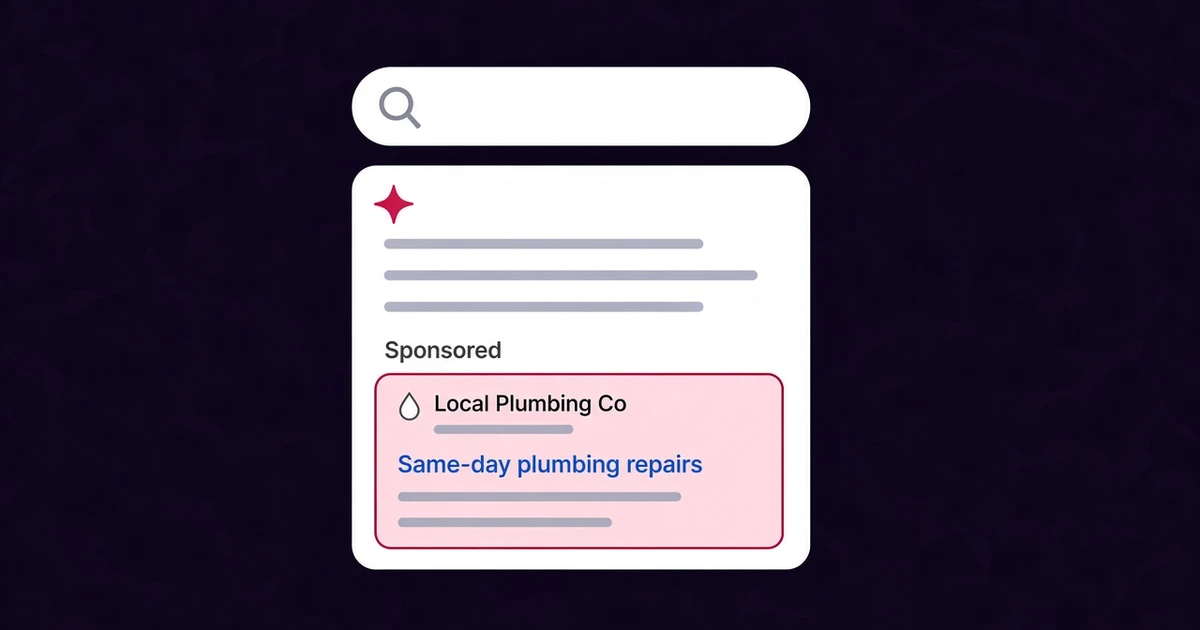
Ads can appear directly within or alongside AI Mode and AI Overview answers when a search has commercial relevance, in sections labelled "Sponsored". Standard ads can also still appear above or below an AI Overview, as they do with other search results.
Google's help page says the exact layout may change over time, because it keeps testing ad designs in these answers. It also says:
- text ads and Shopping ads can appear within AI Overviews and AI Mode
- Google is experimenting with other formats, such as local inventory ads and vehicle ads
- your ad can appear above an AI Overview and within it on the same search, but not within it and immediately below it
Google also says paid ads do not influence the organic answers its AI writes. Being mentioned in the answer itself is an SEO job, which we explain in our guide to SEO vs GEO vs AEO for small businesses.
Which campaigns and match types can show there
Existing Search, Shopping and Performance Max campaigns are automatically eligible for ads in AI Mode and AI Overviews. How far your ads reach into those answers depends on your targeting, especially your keyword match types.
Google describes two ways it matches ads in these answers:
- Direct query matching. The search already shows clear buying intent, such as "pool vacuum cleaners", and Google matches ads to the search as it does on a normal results page.
- Contextual matching. Someone asks a longer, exploratory question, and Google matches ads to both the question and what the AI answer says. Google's example is "why is my pool green and how do I clean it?", where the answer about cleaning can lead to ads for pool vacuums.
| Targeting in your account | Direct query matching | Contextual matching (question plus AI answer) |
|---|---|---|
| Exact match keywords (Search) | Yes, when the search shows clear buying intent | No |
| Phrase match keywords (Search) | Yes, when the search shows clear buying intent | No |
| Broad match keywords (Search) | Yes | Yes |
| AI Max for Search campaigns | Yes | Yes |
| Shopping campaigns | Yes | Yes |
| Performance Max | Yes | Yes |
Source: Google Ads Help, "About ads in AI-powered experiences in Google Search", read 19 November 2026.
Two accounts with the same budget can therefore behave very differently. A tightly built exact and phrase match account will mostly show for clear buying searches. A broad match or Performance Max account can also show on longer questions where the buying intent only appears in Google's answer.
What you can control and what you can't
You can't target AI Mode or AI Overviews on their own, and you can't opt out of them separately from Search. Your existing account controls, such as negative keywords, brand exclusions and asset pinning, still apply to these placements.
| You can control | You can't control |
|---|---|
| Negative keywords, including account-level lists | Opting out of AI Mode or AI Overviews separately from Search |
| Brand exclusions in Search and Performance Max | Targeting only AI Mode or only AI Overviews |
| Your keyword match types and campaign types | The wording of AI explainers shown with your ad |
| Pinned headlines and descriptions (asset pinning) | The exact ad layout, which Google keeps testing |
| Your landing pages and website content | What Google's AI says in its organic answer |
 Illustration: some settings stay in your hands, while parts of AI Mode ads are set by Google.
AI explainers
Google's help page describes AI explainers: short text written by Google's Gemini models that can introduce a group of sponsored options or add context next to an ad. Google says an explainer can draw on the person's question, the AI answer and public sources, including your website.
Google says advertisers can't write, edit, approve or opt out of AI explainers. They are not part of your headlines or descriptions. The one lever Google points to is keeping your website content clear and up to date, which helps it show accurate context.
Negative keywords and brand exclusions
Negative keywords stop your ads showing for searches you don't want, and an account-level list applies across eligible search and Shopping inventory. Brand exclusions stop a Search or Performance Max campaign serving on searches tied to brands you choose. Google's opt-out answer names both as the way to manage when your ads show in AI answers.
How it shows up in your reports
Results from AI Mode and AI Overviews are included in aggregate in your standard Google Ads campaign reports and search terms report. Google's help page does not describe a separate column or segment that splits out AI Mode results.
That means impressions, clicks, conversions and cost from AI answers sit inside the same campaign totals you already watch. Queries that trigger your ads in these answers also appear in your search terms report, mixed in with normal searches.
So treat late October 2026 as a before and after point. Compare the weeks before Google's 28 October announcement with the weeks after it, and look past click counts. A rise in clicks only helps if enquiries, calls or sales rise with it. Our guide to tracking ROI in digital marketing campaigns explains how to connect ad spend to real results.
On billing, Google says ads in AI Mode use the same auction and the same cost per click or conversion-based bidding as standard Search ads. You aren't charged extra to take part, and standard invalid traffic protections apply.
A 30-minute account check for small businesses
Work through these seven checks in your Google Ads account this month. None of them needs a new campaign, and together they show whether AI Mode is changing what you pay for.
| Check | Where to look | What to look for |
|---|---|---|
| 1. Mark your date | Your reporting notes or dashboard | A clear note at 28 October 2026, so you can compare before and after |
| 2. List eligible campaigns | Campaigns view | Which Search, Shopping and Performance Max campaigns you run, and which match types they use |
| 3. Read your search terms | Search terms report | Longer, question style searches, and any that don't fit what you sell |
| 4. Add negatives | Negative keyword lists, including account level | Irrelevant searches turned into negative keywords |
| 5. Check brand settings | Brand exclusions in Search and Performance Max | Brands you don't want your ads showing against |
| 6. Test conversion tracking | Conversions summary | Real enquiries, calls or sales being counted, not page views |
| 7. Review landing pages | Your website | Accurate services, service areas, prices and contact details, because AI explainers can draw on your site |
A few notes on these checks:
- Search terms. Google says queries in AI Overviews and AI Mode are often longer and more conversational than normal searches. If you see long, chatty questions in your report, read them for intent before you exclude them.
- Conversion tracking. Google recommends Smart Bidding backed by accurate first-party conversion measurement, through the Google tag or offline conversion imports. If tracking is wrong, automated bidding learns from the wrong signals.
- Landing pages. Your landing page and website content now do two jobs. They convert visitors, and they give Google material for AI explainers you can't edit.
- Policies. All Google Ads policies still apply to these placements, so the same rules on what you can advertise still apply.
If you'd rather have someone else run this check, our Google Ads management team reviews search terms, negatives, tracking and landing pages as part of ongoing account work.
Should you switch to broad match or AI Max?
Switching to broad match or AI Max is not automatically the right move. Google recommends broad match, AI Max, Shopping or Performance Max to reach more AI Mode searches, but wider matching means less control over which searches you pay for. The right choice depends on your conversion data and budget.
Google's help page recommends AI-powered targeting because it qualifies for both direct and contextual matching. Google's own AI Max page says advertisers that turn on AI Max typically see 14% more conversions or conversion value at a similar cost per acquisition or return on ad spend. That is Google's internal 2025 data for non-retail advertisers, not an independent result, and it is not a promise for your account.
Google also sets out conditions that matter for small budgets:
- AI Max won't be effective if a campaign is limited by budget, according to Google.
- Search term matching, final URL expansion and text customisation need conversion-based Smart Bidding to work effectively.
- New Search campaigns have AI Max turned on by default, so check the setting when you create one.
AI Max is a setting inside Search campaigns, not a new campaign type. Google's setup guide explains how to switch it off: open the campaign settings, select AI Max and turn off all AI Max settings. You can also turn search term matching on or off at ad group level.
If you want to test it, Google offers AI Max experiments, which split traffic and budget within one existing campaign. A controlled test with working conversion tracking gives you your own evidence, instead of relying on platform averages.
For many small accounts, a sensible order is: fix tracking, clean up search terms and negatives, then test broader matching on one campaign with enough budget and conversion data.
Ads in AI Mode vs ChatGPT ads
Ads in Google AI Mode run through your existing Google Ads account, while ChatGPT ads are a separate platform run by OpenAI. They need their own account, budget, tracking and policy checks.
OpenAI's Ads Manager availability page lists Australia as available for self-service, as long as the business that advertises and is billed is based in Australia. For most local businesses already on Google Ads, getting AI Mode right inside your current account comes before opening a new channel.
Frequently asked questions
Can I opt out of ads in Google AI Mode?
No. Google says you can't target ads only to AI Mode or AI Overviews, or opt out of showing ads in them separately from Search. You can still use negative keywords and brand exclusions to control when and how your ads show.
Do ads in AI Mode cost more?
Google says ads in AI Mode and AI Overviews use the same auction and the same cost per click or conversion-based bidding as standard Search ads. You aren't charged extra to take part. Your total spend can still change if your ads start showing on more searches.
How do I turn off AI Max in Google Ads?
Go to your campaign settings, select the campaign, open AI Max and turn off all AI Max settings. Google notes that turning AI Max back on restores the features as they were set before. You can also switch search term matching on or off for individual ad groups.
Can AI help me with Google Ads?
Yes, but it still needs checking. Google Ads already uses AI in Smart Bidding, broad match, AI Max and Performance Max to choose searches, bids and ad text. Someone still needs to review search terms, conversion tracking and landing pages, because the automation learns from what your account feeds it.
Can my ad show above an AI Overview and inside it on the same search?
Yes. Google says your ad can appear above an AI Overview and within it on the same search, depending on the query and auction. It won't appear both within an AI Overview and immediately below it, and you are only charged for valid clicks.
Get a free strategy call
Not sure whether AI Mode is changing what your Google Ads budget pays for? Talk to the PMGS team in Melbourne about your paid media and PPC management. We will look at your campaigns, search terms and tracking, and show you what to check or change first.
Author

Gayan Perera
Gayan Perera is a Senior Digital Marketing Specialist at PMGS Digital, which was established in 2014, and has worked in digital marketing since 2010. With a bachelor's degree in online systems, Gayan specialises in Online Systems, Web Development, Google Analytics, SEO, Google Ads, Social Ads and CRM Integrations. In addition to those, Gayan enjoys creating videos and content to educate people about those areas.